The support platform for B2B teams
Good support starts
with your people.
Bring email, chat, customer context and service targets into one helpdesk. Give your team time for thoughtful support, with AI where it helps.
See how it works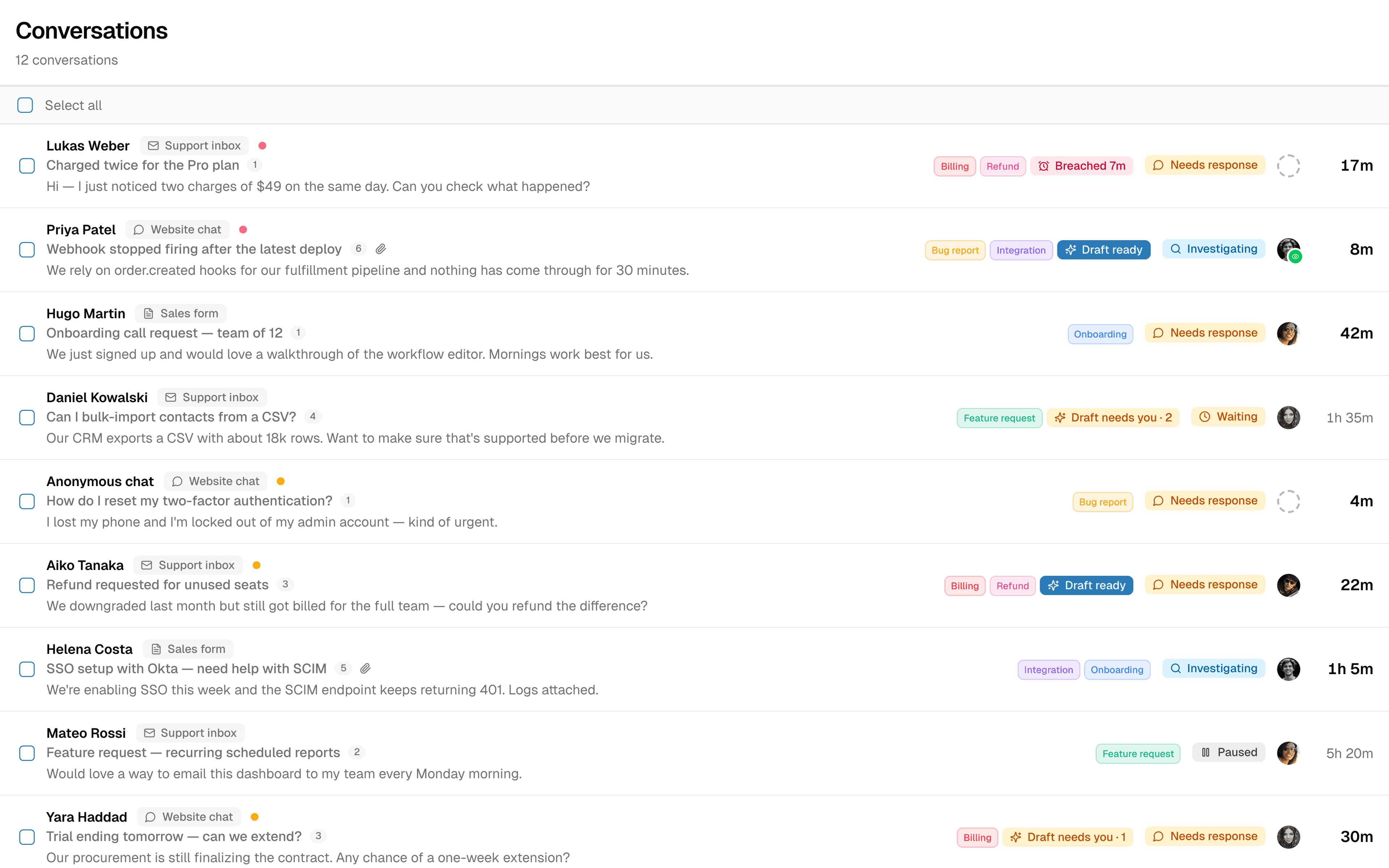
The AI answers questions that need your own systems, and each system you connect raises the share of cases it resolves. In this example a customer asks about an order. The AI confirms their identity with a code sent to their email, looks up the order in your order system and replies that it shipped yesterday and arrives Thursday. The customer then asks to cancel their subscription; the AI, with identity already confirmed, cancels it in your billing system. A chart of cases resolved by AI over time steps up from 31 to 46 percent when the order system is connected, and to 62 percent when the billing system is connected.
Your systems, your data
Answers only your systems have.
Connect your order, billing or account systems through their APIs. The AI checks who it’s talking to, looks up the answer or carries out the request, and the case never reaches your team. Each system you connect lets the AI resolve more on its own.
- Identity confirmed with an email code before anything personal is shared
- Reads live data from your order, billing and account systems
- Every system you connect raises the share of cases the AI resolves
Knowledge gap finder
Find the gaps without reading every conversation.
Replyful analyses your support conversations, spots where information is missing, and groups similar questions together. Your team sees what needs a better answer—and where to focus first.
- Conversations analysed automatically
- Similar questions grouped into one clear gap
- Prioritised by how often answers are missing
Replyful automatically analyses conversations and groups similar unanswered questions. In this example, 12 questions reveal one knowledge gap: where to find and download invoices. Your team sees the missing information without reading each conversation. A support teammate adds the invoice download instructions and saves the answer, closing the knowledge gap.
A shared inbox. A team effort.
Less chasing. More helping.
A busy queue is easier to manage when everyone can see the next step. Bring email and chat into one workspace, keep the customer’s history close, and give every conversation a clear owner.
Explore the helpdeskKnow who’s on it
Assign work to teammates and teams. See what needs a response, what is unassigned, and how long a customer has been waiting.
Keep the whole story
Customer history, internal notes and conversations stay with the case. Work with colleagues and external partners without making the customer piece it all together.
Keep your promises
Set first-response, next-response and resolution targets. Apply SLAs by customer account or urgency, with business hours and holidays built in.
For the person responsible for support
A clear picture. A better next move.
Walk into your next team meeting knowing where support stands, where work gets stuck, and what deserves attention.
Are we keeping up?
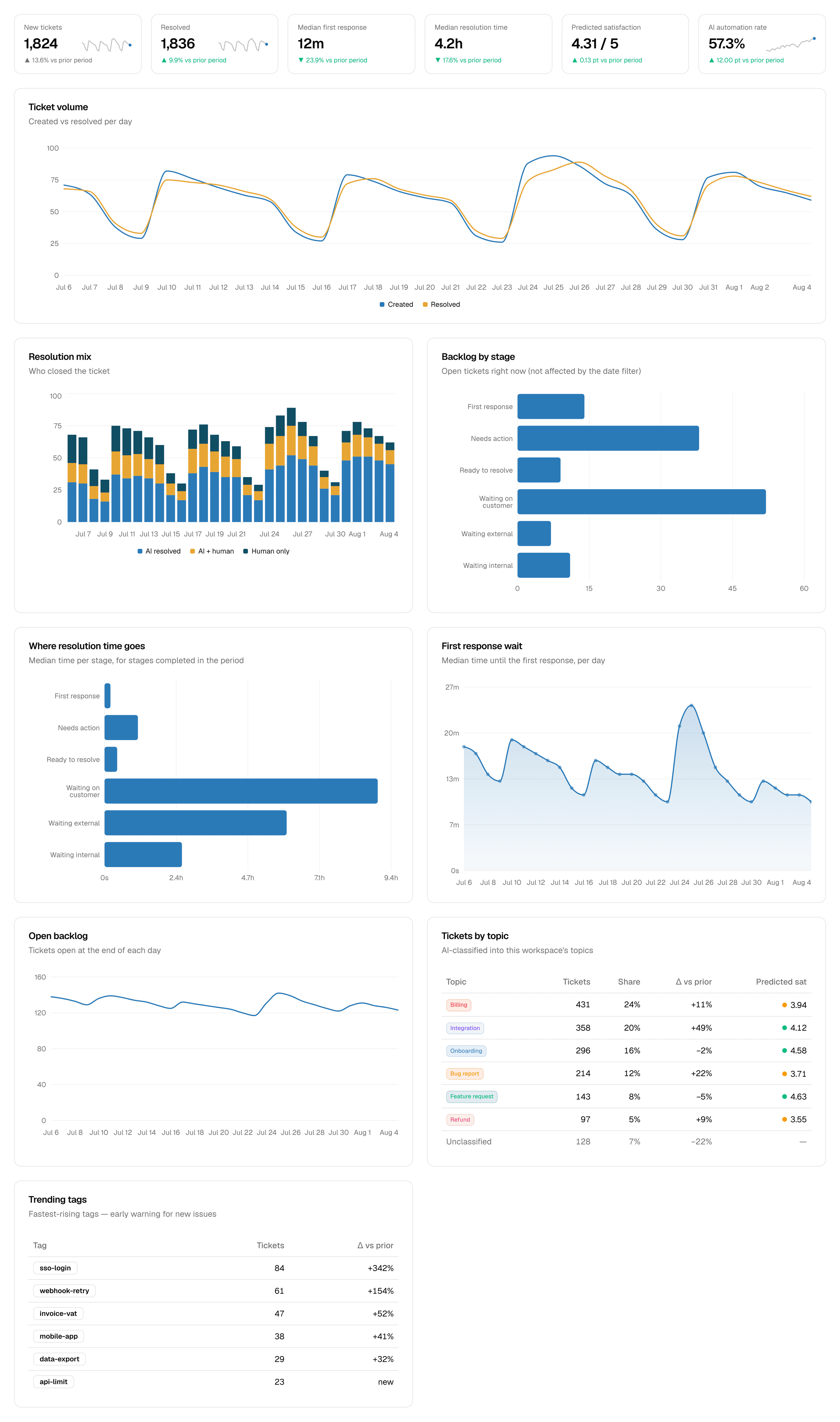
Follow incoming volume, response times and resolution times. See the backlog by stage, including who you’re waiting on.
Are we keeping our promises?
Track SLA attainment and see the cases at risk, so you know where to focus the team.
Is AI actually helping?
See which cases were resolved by people, AI, or both. Understand what the automation is contributing.
AI on your terms
A helping hand. You’re still in charge.
Your team’s judgement belongs at the centre of support. Let AI prepare a reply, answer familiar questions, or leave the conversation entirely to a person. You choose the approach for each email inbox.
01
Your team replies
Keep AI off for an inbox. Your team handles incoming email and writes every reply.
02
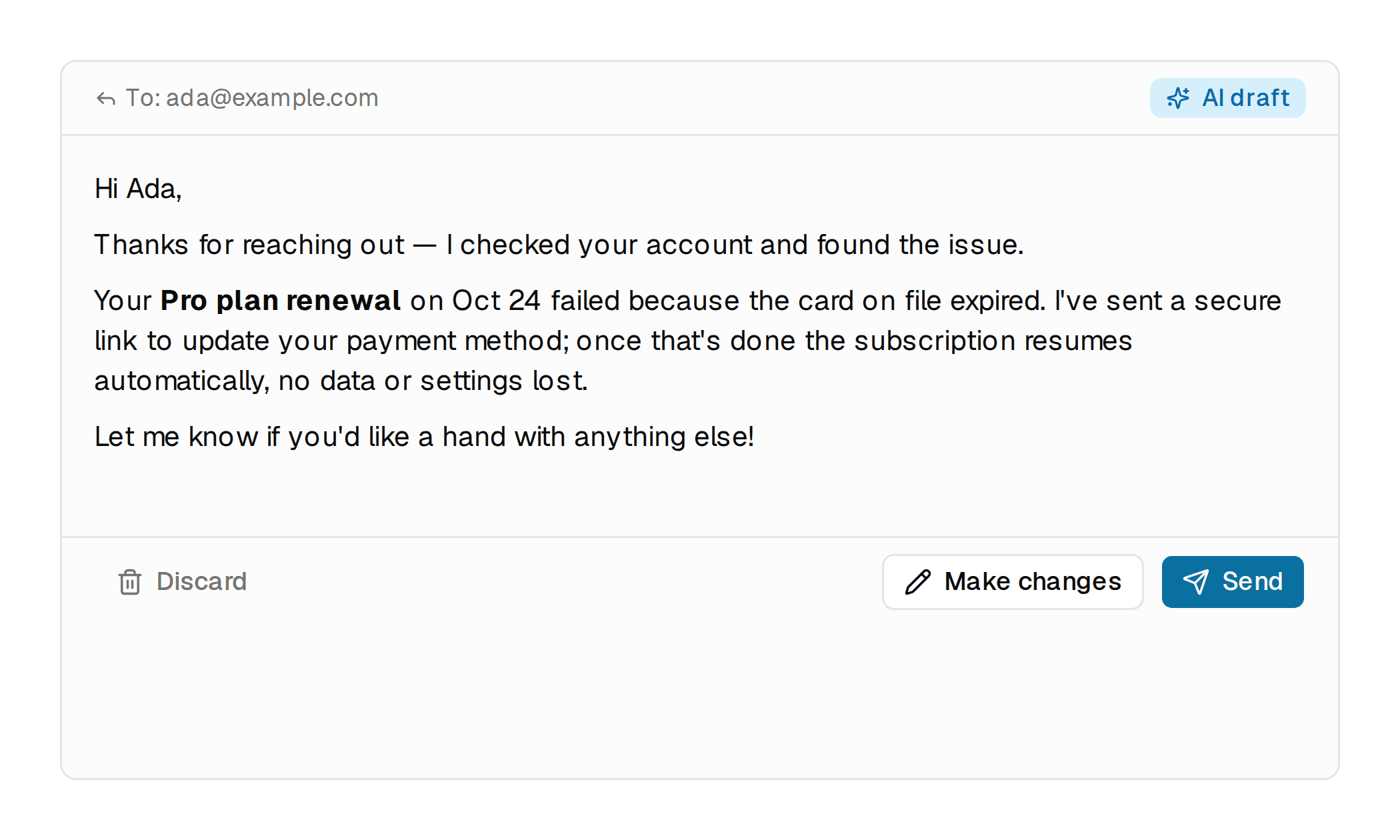
AI drafts. You decide.
Review, edit or discard a suggested reply. Nothing is sent until someone on your team approves it.
03
Let AI handle the routine
Turn on autopilot for an inbox. AI replies when it has enough information and brings in your team when it needs help.
Chat can start with your team or an AI agent, with handover to live chat or email and the case attached. Set a monthly AI spend cap to keep costs under control.
Getting started
Start with the way your team works.
- 01
Bring in your conversations
Connect email through forwarding, Gmail or Microsoft 365. Add chat to your website so your team can help from one place.
- 02
Give your team the context
Invite your teammates, organise your customer accounts and set service targets. Add your website, documents or articles if you want AI assistance.
- 03
Choose where AI helps
Start with human support, try drafts in one inbox, or enable autopilot where it makes sense. Adjust as you learn.
A few things you might be wondering.
Practical answers for the team choosing their next helpdesk.
Give good support a better home.
Start your free trial and explore Replyful with your team. Prefer a guided walkthrough? Book a demo.
View plans and pricing